
CrossDesk 远程桌面功能CrossDesk remote desktop features
从单台电脑的远程操作,到桌面墙中的多设备管理,让常用设备随时可达。From a single remote computer to a wall of connected desktops, keep your devices within reach.
跨平台远程桌面Cross-platform remote desktop
在 Windows、macOS 与 Linux 电脑之间发起远程会话。主窗口集中显示本机 ID、远程连接入口与近期设备,方便重新连接常用电脑。Start remote sessions between Windows, macOS, and Linux computers. The main window brings your device ID, connection controls, and recent devices together for quick reconnection.
远程会话提供键鼠操作、音频、文本剪贴板与文件传输;可用能力取决于客户端平台与版本。Remote sessions support keyboard and mouse input, audio, text clipboard sharing, and file transfer. Availability depends on the client platform and version.
下载桌面客户端 →Download desktop clients →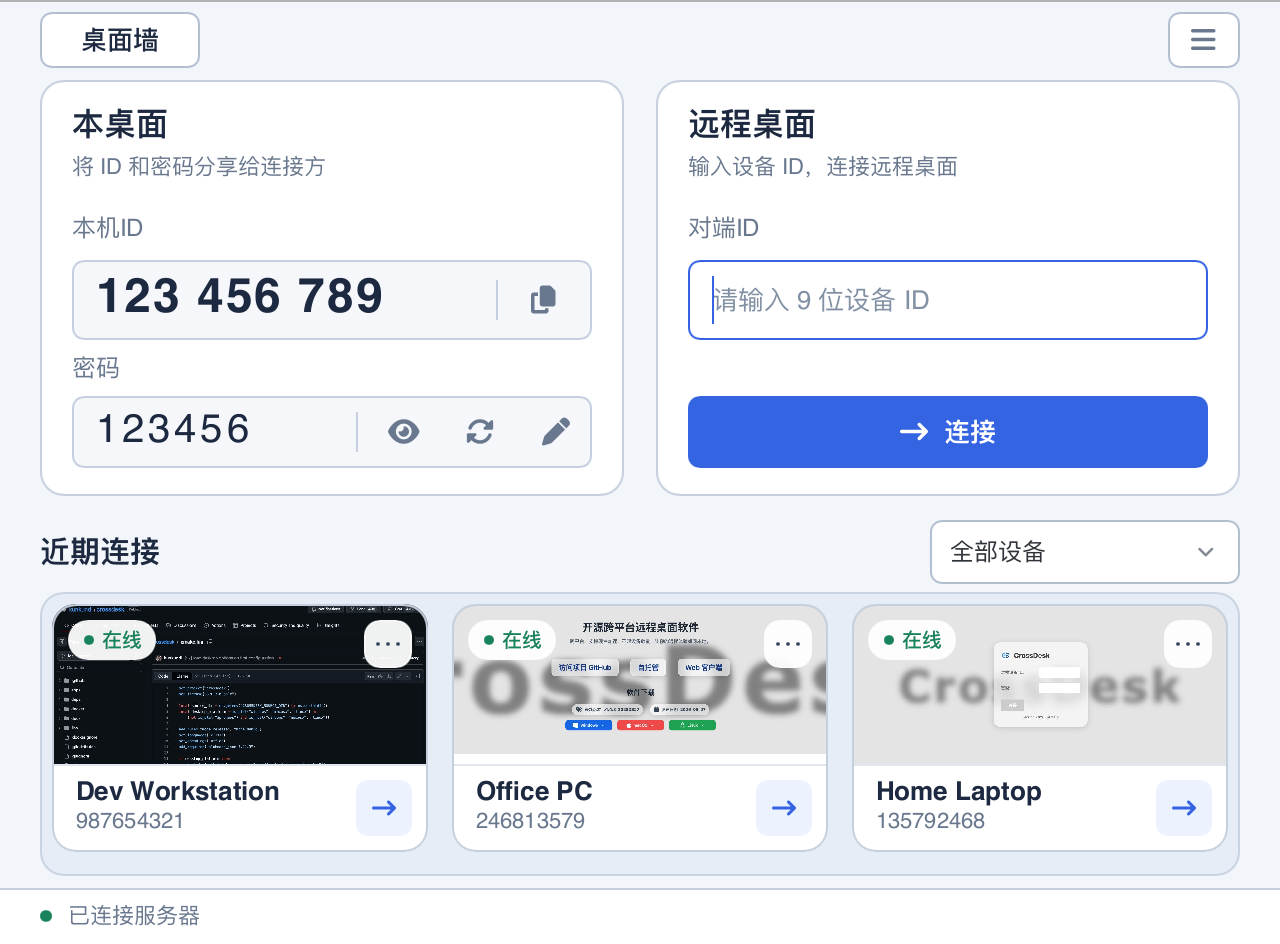
桌面墙:集中管理多台设备DeskHub: manage multiple devices
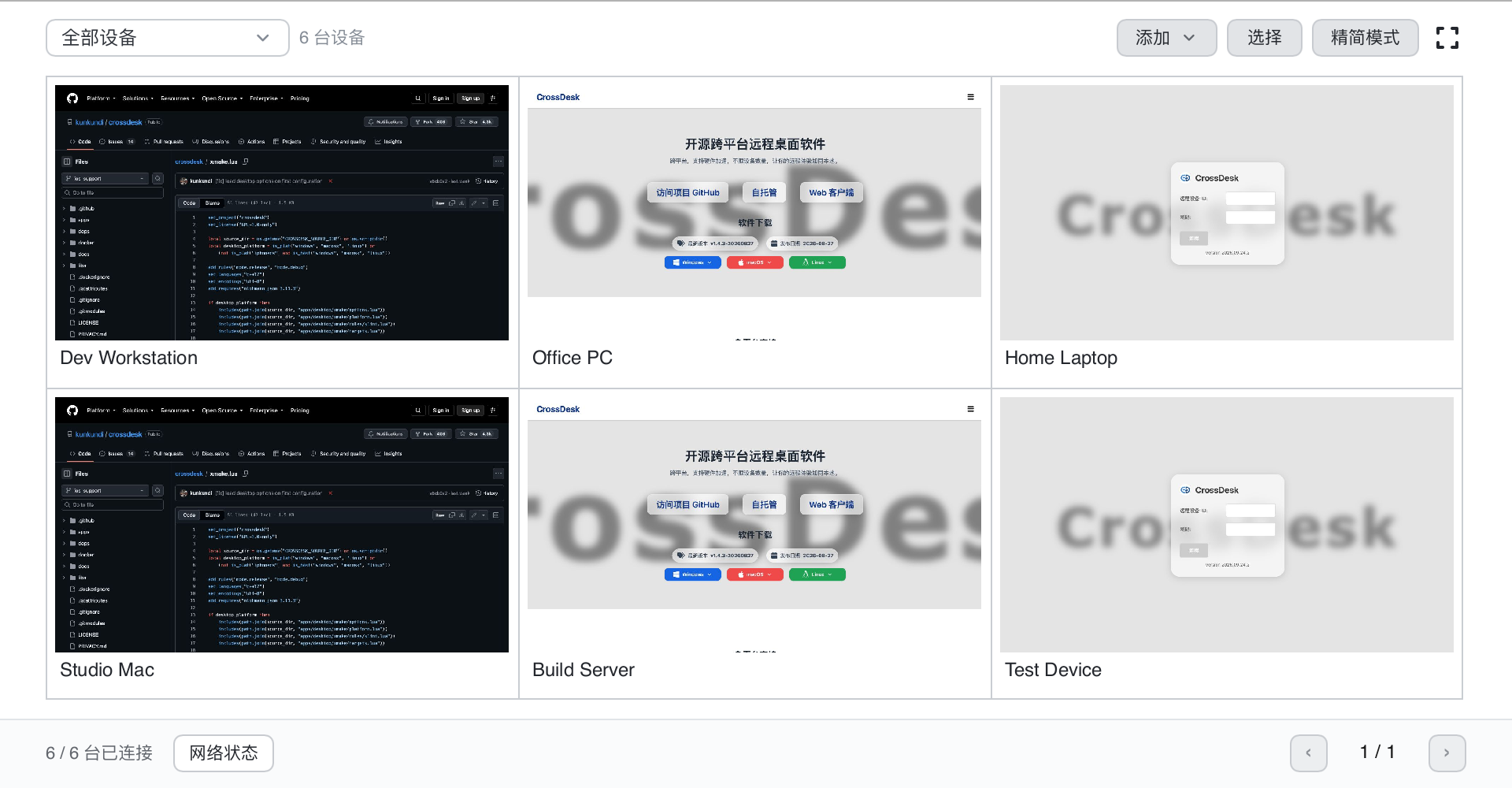
在同一窗口查看多台远程设备的画面,按分组组织设备,放大需要操作的桌面,并执行批量连接、断开或文件分发。Preview multiple remote devices in one window, organize them into groups, expand the desktop you want to control, and connect, disconnect, or distribute files in batches.
桌面墙支持群控及画面传输设置。群控会向已连接设备发送相同的坐标和按键;设备屏幕尺寸不同,操作结果也可能不同。DeskHub supports group control and streaming settings. Group control sends identical coordinates and keys to connected devices, so results can differ across screen sizes.
分辨率、帧率与带宽调节按被控端能力生效。Resolution, frame rate, and bandwidth controls depend on the remote device’s capabilities.
浏览器与移动端访问Browser and mobile access
在 Web 客户端输入设备 ID 与密码即可发起连接。iOS 和 Android 原生客户端也可作为控制端,让手机或平板访问电脑。Enter a device ID and password in the Web client to start a connection. Native iOS and Android clients also let you control a computer from a phone or tablet.
被控电脑需要安装并运行 CrossDesk。移动端和浏览器端的功能范围与桌面客户端可能不同。The remote computer must have CrossDesk installed and running. Mobile and browser clients may support a different set of features from desktop clients.
打开 Web 客户端 →Open web client →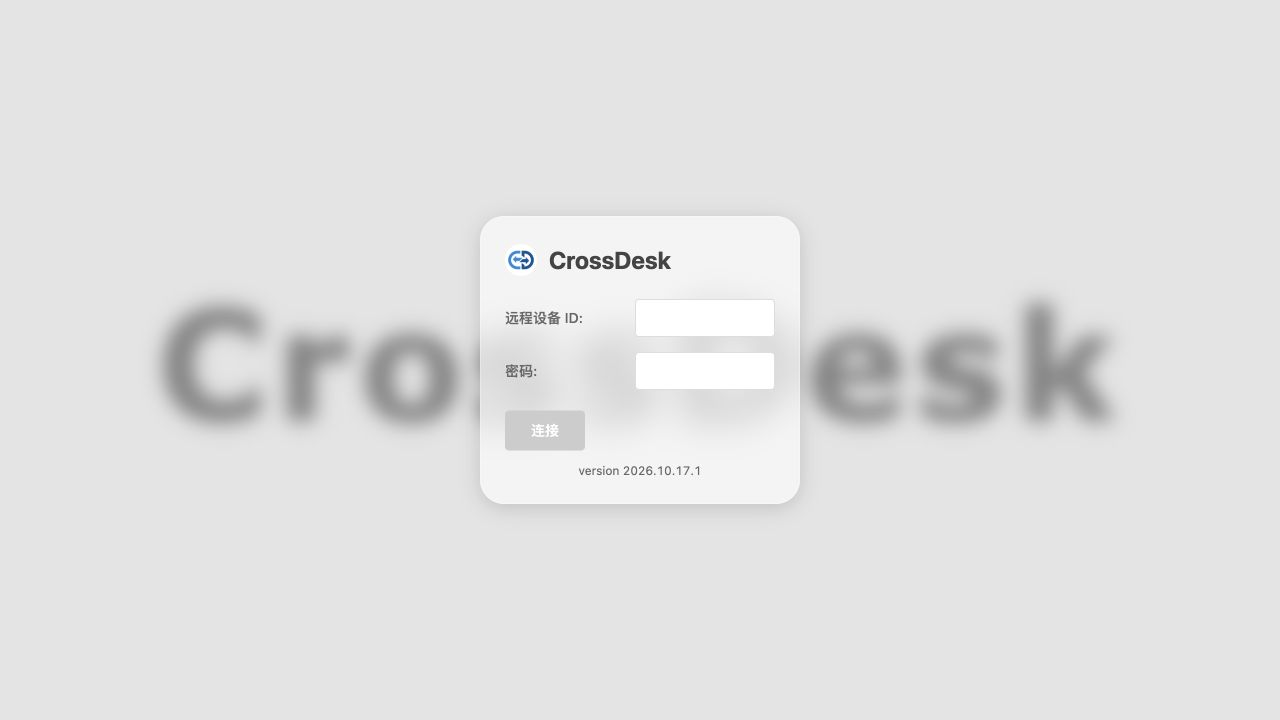
硬件加速与连接方式Hardware acceleration and connectivity
CrossDesk 基于 MiniRTC,支持 H.264 / AV1 视频和硬件编解码。NVIDIA、VideoToolbox 等加速能力取决于设备、系统和构建配置。Built on MiniRTC, CrossDesk supports H.264 / AV1 video and hardware codecs. NVIDIA, VideoToolbox, and other acceleration options depend on hardware, operating system, and build configuration.
连接优先尝试 P2P 直连,无法直连时可通过 TURN 中继。你也可以部署自己的信令与中继服务。Connections attempt P2P access first and can use a TURN relay when a direct connection is unavailable. You can also deploy your own signaling and relay services.
查看自托管部署指南 →Read the self-hosting guide →